
Shopify Product Meta Description: A Simple Formula for Snippets Shoppers Click
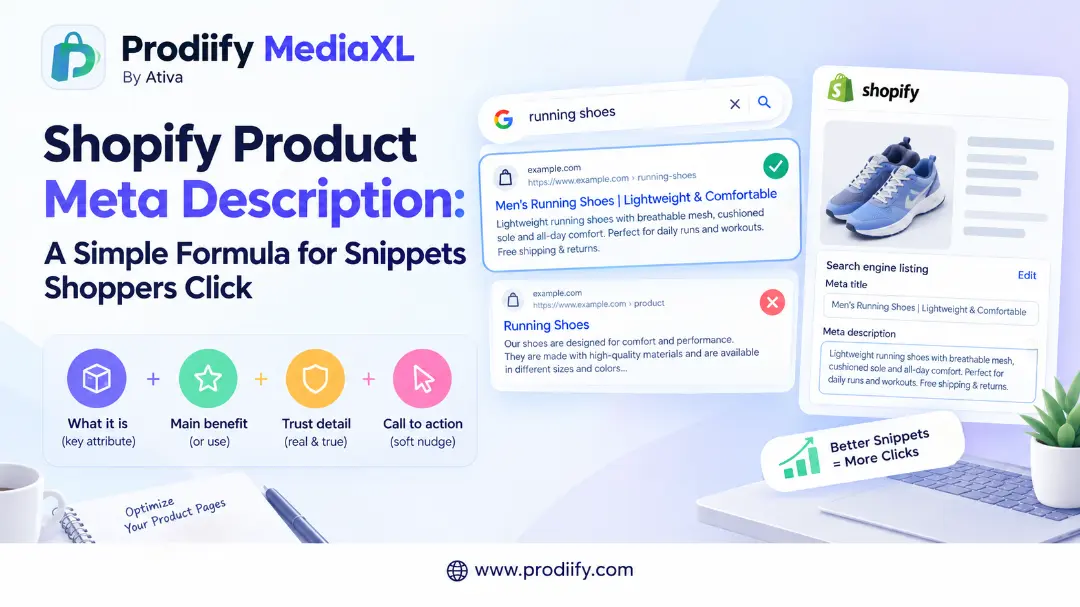
A Shopify product meta description will not rank your page by itself, but it can decide whether a searcher clicks yours or a competitor’s.
Picture two search results for the same product. The first has a clear title and a short line underneath: what it is, who it is for and why it is worth a click. The second shows a random chunk of text pulled from the middle of the page.
Which would you click? That small line of text is the meta description, and for most stores it is left empty or copied across hundreds of products. This guide shows you where to write a Shopify product meta description, what to put in it, how long it should be and how to avoid the mistakes that waste it.
What a Meta Description Does (and Does Not Do)
A meta description is the short summary shown under your page title in search results. It does not directly raise your rankings. As one Shopify guide puts it, meta descriptions do not matter for Google rankings, but they matter for click-through rates.
Think of it as ad copy. One guide describes it as your ad copy in search results, which should give a reason to click. That makes it worth writing well, especially for your best sellers.
One honest limit: Google does not always use what you write. A Shopify guide notes that Google also rewrites titles and descriptions when it thinks other text on the page matches the search better, and no length guarantees Google will use your text. A clear, accurate description that matches the page makes a rewrite less likely, but you cannot control it fully.
Where to Edit It in Shopify
You edit the meta description in the same place as your SEO title, not in the Metafields panel. One guide confirms that meta descriptions are in the Search engine listing section at the bottom of each product, collection or page editor.
For a product:
- In your Shopify admin, go to Products and open the product.
- Scroll to the bottom to Search engine listing.
- Click Edit.
- Write your text in the Meta description field.
- Click Save.
For collections, the steps are the same, starting from Products > Collections. The homepage title and description are under Online Store > Preferences.
What Happens If You Leave It Blank
If you skip it, Google builds its own snippet. A Shopify guide explains that if you leave the field blank, Google can generate a snippet from visible page content, and on Shopify product pages the product description can also supply the fallback. That is not always bad, but it is often a random sentence rather than your best pitch. shopify
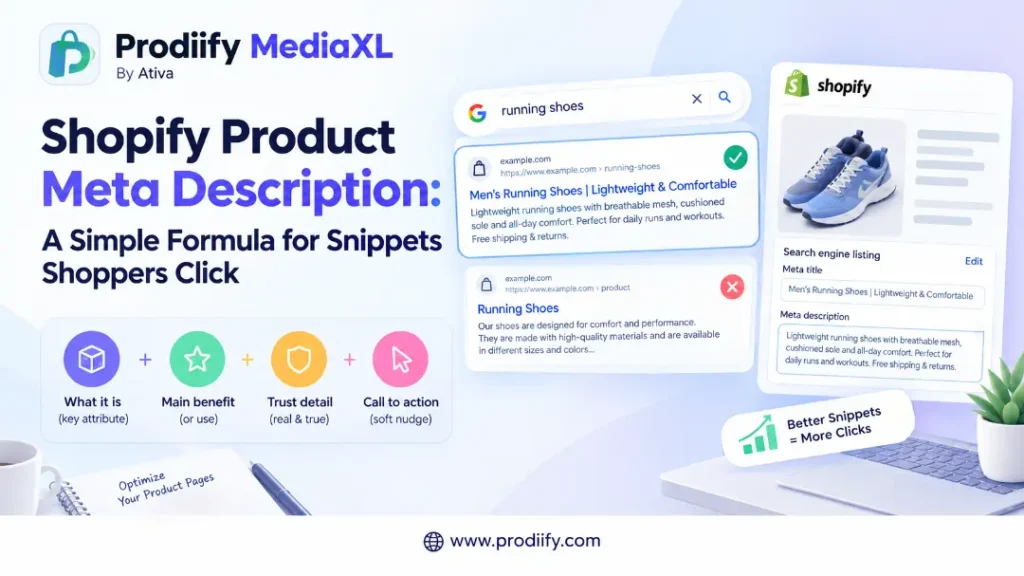
The 4-Part Formula
Use this structure:
[What it is + key attribute] + [Main benefit or use] + [A detail that builds trust] + [A soft call to action]
| Part | What to write | Example |
|---|---|---|
| What it is | Product type and key attribute | Slim handmade leather wallet |
| Benefit or use | Why it is useful | Holds 8 cards, fits front pockets |
| Trust detail | Something specific and true | RFID-safe, free returns |
| Call to action | A short nudge | Shop colors |
Result: Slim handmade leather wallet that holds 8 cards and fits front pockets. RFID-safe with free returns. Shop colors.
Add only trust details that are true for your store, such as your real return policy.
Before and After Examples
| Weak description | Better description |
|---|---|
| Shop our high-quality products at great prices. | Waterproof hiking boots with grippy soles for wet trails. Sizes 6 to 13 in two colors. Shop now. |
| Candle | Hand-poured 8 oz soy lavender candle in a recycled glass jar. Clean-burning wax for a calm evening. Order today. |
| Blue tee, cotton, buy now, best tee, cheap tee | Organic cotton crew neck tee in 6 colors, sizes S to 3XL. Soft, pre-shrunk and easy to wear. See sizes. |
| (blank) | 500 ml insulated steel bottle that keeps drinks cold for hours. Fits cup holders, leak-resistant lid. Shop colors. |
The first row shows a very common mistake. According to one guide, writing the same description for every product, such as “Shop our high-quality products” on 200 products, tells Google nothing unique about each page.
All examples above are samples. Replace the details with facts that are true for your own products.
How Long Should It Be?
There is no single rule. Google does not set a fixed limit. A Shopify guide explains that Google does not set a fixed character or pixel limit for meta descriptions and truncates snippets as needed to fit the device and layout.
In practice, most guides suggest a range:
- Many sources recommend about 150 to 160 characters.
- One guide advises keeping the first 120 characters clear and impactful for mobile users.
- Another suggests staying under 155 characters.
A safe approach is to put the most important information first and aim for roughly 120 to 155 characters, so the key message survives even if the end is cut.
Your Writing Plan for Every Shopify Product Meta Description
A clear Shopify product meta description takes a couple of minutes per product when you follow this plan.
1. Start with your top ten products. Pick the best sellers or highest-traffic pages first.
2. Match the title. Your meta description should support your SEO title, not repeat it. If you need help with titles, read our guide to Shopify product title SEO.
3. Lead with what it is and why it matters. Put the product type and the main benefit in the first sentence.
4. Add one specific detail. Size range, material, color options or a real policy. Specifics beat adjectives like “best” and “high quality”.
5. End with a soft nudge. “Shop colors”, “See sizes” or “Order today” is enough.
6. Make each one unique. Similar products should still get different descriptions.
7. Preview before saving. The Search engine listing preview shows how your page may appear.
Common Mistakes
- Leaving it blank on your best sellers
- Copying the same text across many products
- Keyword stuffing. A pile of repeated phrases reads badly and does not help. See our guide on keyword stuffing on Shopify.
- Copying the product description word for word
- Making claims you cannot back up, such as “best in the world”
- Writing for search engines only. A reader should want to click.
- Duplicating titles and descriptions. If you also see repeated titles, read our guide to Shopify duplicate meta titles.
Meta Descriptions Work Best With the Rest of the Page
A good snippet earns the click. The page then has to deliver.
- Write product descriptions that answer shopper questions. Our guide to enhanced product descriptions on Shopify shows the format. To draft faster, use an AI product description generator for Shopify, a Shopify product description generator or these ChatGPT prompts for Shopify product descriptions.
- Describe images properly. See our guide to Shopify image alt text.
- Cover the basics in our Shopify SEO checklist, these Shopify SEO tips and the Shopify technical SEO checklist.
- Make the page convince. See our guide to Shopify product page design. If you sell on marketplaces too, Shopify vs Amazon product pages shows where the gap tends to appear. To understand richer pages, read about A+ Content for Shopify or compare options in our Amazon A+ Content alternative for Shopify breakdown.
- Prepare for AI shopping. Clear, specific copy helps AI tools understand what you sell. Read our guides to Shopify AI search optimization for ChatGPT, how to get your Shopify products in ChatGPT, how to check if ChatGPT recommends your products and Shopify agentic commerce.
Get Help Writing Descriptions, Product by Product
Writing a distinct meta description for every product takes time. Prodiify helps here. The AI SEO app for Shopify stores helps you write and refine titles, descriptions and meta content one product at a time, so you start from a draft rather than a blank box. Always review the result so it stays accurate and matches your brand. For the visual side of your page, Prodiify MediaXL adds drag-and-drop blocks (Banner/Hero, Image + Text, Feature List, Gallery, Video and Carousel) to product pages, with no theme edits and no code.
A 20-Minute Routine
- Pick your top five products.
- Open each one and scroll to Search engine listing.
- Write a unique description using the 4-part formula.
- Check that the first sentence says what it is and why it matters.
- Save, then repeat with five more next week.
FAQs about Shopify product meta description
1.What is a good Shopify product meta description?
A short, specific summary that says what the product is, why it is useful and what makes it trustworthy, ending with a soft call to action. It should be unique to that product and written for a person, not a search engine.
2.How long should a Shopify product meta description be?
Google does not set a fixed limit, but most guides suggest around 150 to 160 characters. Put the key message in the first 120 characters so it survives truncation on mobile.
3.Does a meta description help rankings?
Not directly. It mainly influences whether people click your result. Clear titles, helpful content and good page experience matter more for rankings.
4.Where do I edit it in Shopify?
Open the product, scroll to the Search engine listing section, click Edit, write the Meta description and save.
5.Why does Google show a different description from the one I wrote?
Google sometimes rewrites descriptions when it thinks other text on your page matches the search better. A clear, accurate description that matches your page makes this less likely, but there is no guarantee.
Conclusion: A Better Shopify Product Meta Description Is a Small Edit With Real Payoff
You do not need to rewrite your whole store. Start with your best sellers, write a clear Shopify product meta description for each, and make every one unique. It takes a couple of minutes per product, and it can be the line that wins the click.